NIST 800-83
“A program that is inserted into a system, usually covertly, with the intent of compromising the confidentiality, integrity, or availability of the victim’s data, applications, or operating system or otherwise annoying or disrupting the victim.”
classification of malware
Malware is usually classified based on two main factors:
- how it spreads to reach the desired targets
- the actions or payloads it performs once a target is reached
But it can also be classified by its independence and replication ability
| classified as | description | example |
|---|---|---|
| needs a host | parasitic code that requires another legitimate program to attach to | viruses |
| independent | self-contained programs that can run on their own | worms, trojans, bots |
| non-replicating | malware that does not create copies of itself or spread automatically. | trojans, spam e-mail |
| replicating | malware that self-replicates and spreads to other systems. | viruses, worms |
Propagation mechanisms include:
- infection of existing content by viruses that is subsequently spread to other systems
- exploitation of software vulnerabilities by worms or drive-by-downloads (unintended download of software) to allow the malware to replicate
- social engineering attacks that convince users to bypass mechanisms to install trojans or to respond to phishing attacks
Payload actions performed by malware once it reaches the target include:
- corruption of system or data files
- theft of service (or making the system a zombie agent as part of a botnet)
- theft of information
- hiding its presence in the system
attack kits
Initially, the development and deployment of malware required considerable technical skill - the development of so-called “toolkits” (or “crimeware”) aided even novices in deploying some mechanisms. Variants that can be built from these toolkits can generate a significant problem for those defending systems against them.
Advanced Persistent Threats (APTs)
APTs are well-resourced, persistent applications of a wide variety of intrusion technologies and malware to carefully-selected targets.
- typically attributed to state-sponsored organisations or criminal entreprises
These attacks are advanced (wide variety of intrusion technologies, including custom malware), persistent (carried on over an extended period of time, potentially escalating), and, since there are capable, organised people behind them, they are more dangerous than simple automated attacks.
- aim ⟶ from theft of intellectual property or security and infrastructure related data to the physical disruption of infrastructure
- techniques ⟶ social engineering, spear-phishing (targeted phishing), drive-by downloads from selected compromised websites likely to be visited by personnel targets
- intent ⟶to gain access to systems in the target organization, and then to mantain and extend it with a further range of attack tools
viruses
Viruses are pieces of software that infect programs. They usually modify programs to include a copy of the virus, replicate and infect other content, and are easily spread through networks.
- when attached to an executable program, a virus can do anything that the program is permitted to do
The main components of a virus are:
- infection mechanism/vector ⟶ means by which a virus spreads
- trigger/logic bomb ⟶ condition that determines when the payload is activated or delivered
- payload ⟶ what the virus does
The phases of a virus’s lifespan are:
| phase | description | characteristics | more |
|---|---|---|---|
| dormant phase | virus is idle | will eventually be activated by some event | not all viruses have this stage |
| triggering phase | virus is activated to perform the function for which it was intended | can be caused by a variety of system events | - |
| propagation phase | virus places a copy of itself into other programs or into certain system areas on the disk | the copy may not be identical to the propagating version | each infected program will now contain a clone of the virus which will itself enter a propagation phase |
| execution phase | function is performed | may be harmless or damaging | - |
macro and scripting viruses
NISTIR 7298
A macro virus is defined as “a virus that attaches itself to documents and uses the macro programming capabilities of the document’s application to execute and propagate.”
- macro viruses infect scripting code used to support active content in many types of user documents
Macro viruses are threatening because:
- they are platform-independent
- they infect documents, not executable portions of code
- they are easily spread
- traditional file systems access controls are of limited use in preventing their spread, since users are expected to modify documents
- they are much easier to write or modify than traditional executable viruses
virus classification
by target:
| classification | target description |
|---|---|
| boot sector infector | infects a boot record and spreads when a system is booted from the disk containing the virus. |
| file infector | infects files that the operating system or shell considers to be executable. |
| macro virus | infects files with macro or scripting code that is interpreted by an application. |
| multipartite virus | infects files in multiple ways. |
| by concealment strategy: |
| classification | concealment strategy description |
|---|---|
| encrypted virus | a portion of the virus creates a random encryption key and encrypts the remainder of the virus. |
| stealth virus | a form of virus explicitly designed to hide itself from detection by anti-virus software. |
| polymorphic virus | a virus that mutates with every infection. |
| metamorphic virus | a virus that mutates and rewrites itself completely at each iteration and may change behavior as well as appearance. |
worms
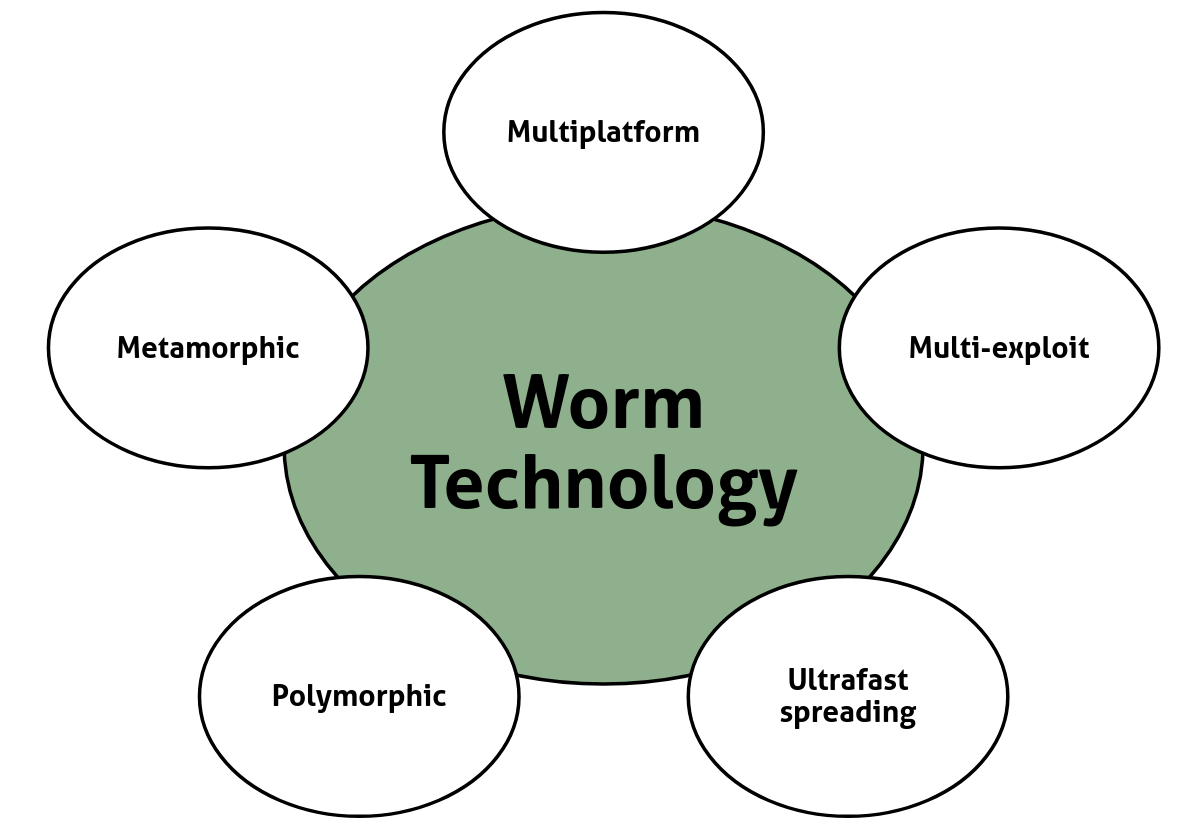
Worms are programs that actively seek out more machines to infect. Each infected machine serves as an automated launching pad for attacks on other machines.
Worms:
- exploit software vulnerabilities in client or server programs
- can use network connections and shared media to spread from system to system
worm replication
| strategy | description |
|---|---|
| electronic mail or instant messenger facility | worm e-mails a copy of itself (/sends itself as an attachment) to other systems |
| file sharing | worm creates a copy of itself or infects a file as a virus on removable media |
| remote execution capability | worm executes a copy of itself on another system |
| remote file access or transfer capability | worm uses a remote file access or transfer service to copy itself from one system to the other |
| remote login capability | worm logs onto a remote system as a user and then uses commands to copy itself from one system to the other |
target discovery
Target Discovery is critical for network worms, as it defines the mechanism by which an already infected host identifies and locates new potential victims to spread the infection further.
The first step of the propagation phase is scanning/fingerprinting ⟶ the infected system actively searches for other systems to infect.
The strategies used to search for targets are:
| strategy | description | key characteristic | impact on network |
|---|---|---|---|
| random | each infected host probes random addresses in the ip address space, often using a different seed for randomness. | highly unpredictable and widely distributed scanning. | produces a high volume of internet traffic, potentially causing generalized disruption even before the actual attack payload is launched. |
| hit-list | the attacker first compiles a long list of potential vulnerable machines. | highly focused and pre-selected targets. | results in a very short scanning period, making it difficult to detect that infection is taking place because the bulk of the scanning is done offline/in advance. |
| topological | this method uses information contained on an infected victim machine to find more hosts to scan. | relies on data like routing tables, arp caches, and contact lists from the victim machine. | spreads along existing network connections and relationships, often within a cluster of interconnected systems. |
| local subnet | if a host is infected behind a firewall, that host then looks for targets in its own local network. | spreads locally within a segment that is protected from the outside by a firewall. | the host uses the subnet address structure to find other hosts that would otherwise be protected by the firewall, bypassing the external perimeter defenses. |
recent worm attacks
worm year key characteristics melissa 1998 e-mail worm; first to include virus, worm and trojan in one package. code red july 2001 exploited microsoft iis bug; probes random ip addresses; consumes significant internet capacity when active. code red ii august 2001 also targeted microsoft iis; installs a backdoor for access. nimda september 2001 had worm, virus and mobile code characteristics; spread using e-mail, windows shares, web servers, web clients, backdoors. sql slammer early 2003 exploited a buffer overflow vulnerability in sql server; compact and spread rapidly. sobig.f late 2003 exploited open proxy servers to turn infected machines into spam engines. mydoom 2004 mass-mailing e-mail worm; installed a backdoor in infected machines. warezov 2006 creates executables in system directories; sends itself as an e-mail attachment; can disable security related products. conficker (downadup) november 2008 exploits a windows buffer overflow vulnerability; most widespread infection since sql slammer. stuxnet 2010 restricted rate of spread to reduce chance of detection; targeted industrial control systems.
mobile phone worms
Mobile phone worms are able to communicate through bluetooth or MMS (sending themselves to contacts and as an autoreply to incoming text messages).
Smartphones are the targets, and worms are able to completely disable them, delete data, or force them to send costly messages.
trojan apps
Though mobile phone worms are possible, the vast majority of phone malware observed uses trojan apps to install itself.
drive-by-downloads
Drive-by-downloads use browser and plugin vulnerabilities.
workings
The user views a webpage controlled by the attacker, which contains code that exploits a bug to download and install malware on the system without the user’s knowledge.
In most cases, the malware doesn’t replicate (the way a worm would), but it only spreads when users visit the malicious web page.
watering-hole attacks
Watering-hole attacks are a variant of drive-by-downloads used in highly targeted attacks.
workings
The attacker researches the victim to identify websites they are likely to visit, scans them to identify vulnerabilities and tries to compromise them.
- attack code may even be written to only infect systems belonging to the target organisation - this increases the likelihood of the compromise staying undetected
malvertising
Malvertising is the technique of placing malware on websites without compromising them.
workings
The attacker pays for ads that are likely to be placed on their target websites and incorporates malware in them. The malware affects visitors to the site, but not the site itself.
- the code might be dynamically generated to reduce the chance of detection or to only infect specific systems
clickjacking
Attack that targets keystrokes.
- also known as UI redress attack
workings
Users are led to believe they are typing passwords, but they are istead typing into an invisible frame controlled by the attacker.
- by taking advantage of Adobe Flash or JavaScript, an attacker could even place a button under or over a legitimate button making it difficult for users to detect
- typical attack uses multiple transparent or opaque layers to trick a user into clicking something without knowing it
social engineering malware propagation
Social engineering is one of the main forms of malware propagation. It works by “tricking” users to assist in the compromise of their own systems.
The main techniques used are spam (used for phishing attacks), trojan horses (programs containing harmful hidden code), and mobile trojans.
payloads
- system corruption ⟶ can either cause real-world physical damage to equipment, or be a “logic bomb”, malware that is set to “explode” when certain conditions are met
- attack agent bots ⟶ bots take over another internet-attached computer and use it to launch or manage attacks (various types of attacks, like DDoS, spamming, sniffing traffic, spreading new malware…)
bot vs worm: remote control facilities
The main difference between a bot and a worm is that bots are initially controlled from a central facility, typically implemented on an IRC server.
- distributed control mechanisms use peer-to-peer protocols to avoid a single point of failure
- information theft
- keyloggers ⟶ capture keystrokes to allow attacker to monitor sensitive information (typically use filtering mechanisms to only return the type of information they need)
- spyware ⟶ monitors a wide range of activity on a compromised machine (history, browser contents, redirects to web page)
- theft (phishing) ⟶ social engineering technique to fool the user by masquerading as a trusted source
- spear-phishing ⟶ e-mails are crafted to specifically suit their recipients
- stealthing (backdoor) ⟶ uses a secret entry point into a program that allows the attacker to gain access and bypass security procedures
- programmers often have a “manteinance hook” backdoor used to debug and test
- stealthing (rootkit) ⟶ a rootkit is a set of hidden programs installed on a system to maintain covert access to it (hides by subverting the mechanisms that monitor and report on the processes/files/registries)
- gives administrator or root access to the attacker
rootkit classification
characteristic description persistent rootkit is installed on a hard drive or other non-volatile storage, ensuring it survives system reboots. memory based the rootkit resides only in volatile memory (ram), meaning it is eradicated when the system is shut down or rebooted. user mode operate as regular application processes and target api calls to hide themselves and other malicious files/processes. kernel mode operate at the highest privilege level, modifying core operating system structures (e.g., system call tables, kernel modules) to achieve control. virtual machine-based they install themselves beneath the os, modifying the boot sequence to load a malicious hypervisor that then loads the original os as a guest vm. external mode reside on hardware (like network cards or bios/uefi firmware), outside the operating system’s control, (extremely difficult to detect and remove).
malware countermeasure approaches
The best solution to malware is prevention. There are four main elements to it:
- policy
- awareness
- vulnerability mitigation
- threat mitigation
If prevention fails, the main threat mitigation steps are:
- detection
- identification
- removal
antivirus software
Antivirus software is divided into four generations (each more powerful than the previous).
- simple scanners:
- require a malware signature to identify the malware; only work with known malware
- heuristic scanners:
- use heuristic rules or integrity checking to search for probable malware instances
- activity traps:
- memory-resident programs that identify malware by its actions
- full-featured protection:
- variety of anti-virus techniques used in conjunction
- scanning + activity trap components + access control capability
sandbox analysis
Another good prevention approach is running potentially malicious code in an emulated sandbox or on a virtual machine.
- code is executed in a controlled environment where its behavior can be closely monitored without threatening the security of a real system
- enables the detection of complex encrypted, polymorphic, or metamorphic malware
The most difficult design issue with sandbox analysis is to determine how long to run each interpretation.
host-based behavior-blocking software
Integrates with the operating system and monitors program behavior in real time for malicious action, blocking any before it can affect the system.
Because malicious code must run on the target machine before its behaviors can be identified, it can still cause harm before it has been detected and blocked.
perimeter-scanning approaches
Anti-virus software typically included in e-mail and Web proxy services running on an organization’s firewall and IDS (intrusion detection system).
- may include intrusion prevention measures, blocking the flow of any suspicious traffic
There are two types of monitoring software:
- ingress monitoring ⟶ located at the border between the enterprise network and the internet; looks for incoming traffic to unused local IP addresses
- egress monitoring ⟶ located both at the egress point of individual LANs and at the border between the enterprise network and the internet; monitors outgoing traffic for signs of scanning or suspicious behavior